DELETE YOUR ACCOUNT
To delete your account and all associated data, follow these steps:
Open the app and navigate to the Profile page.
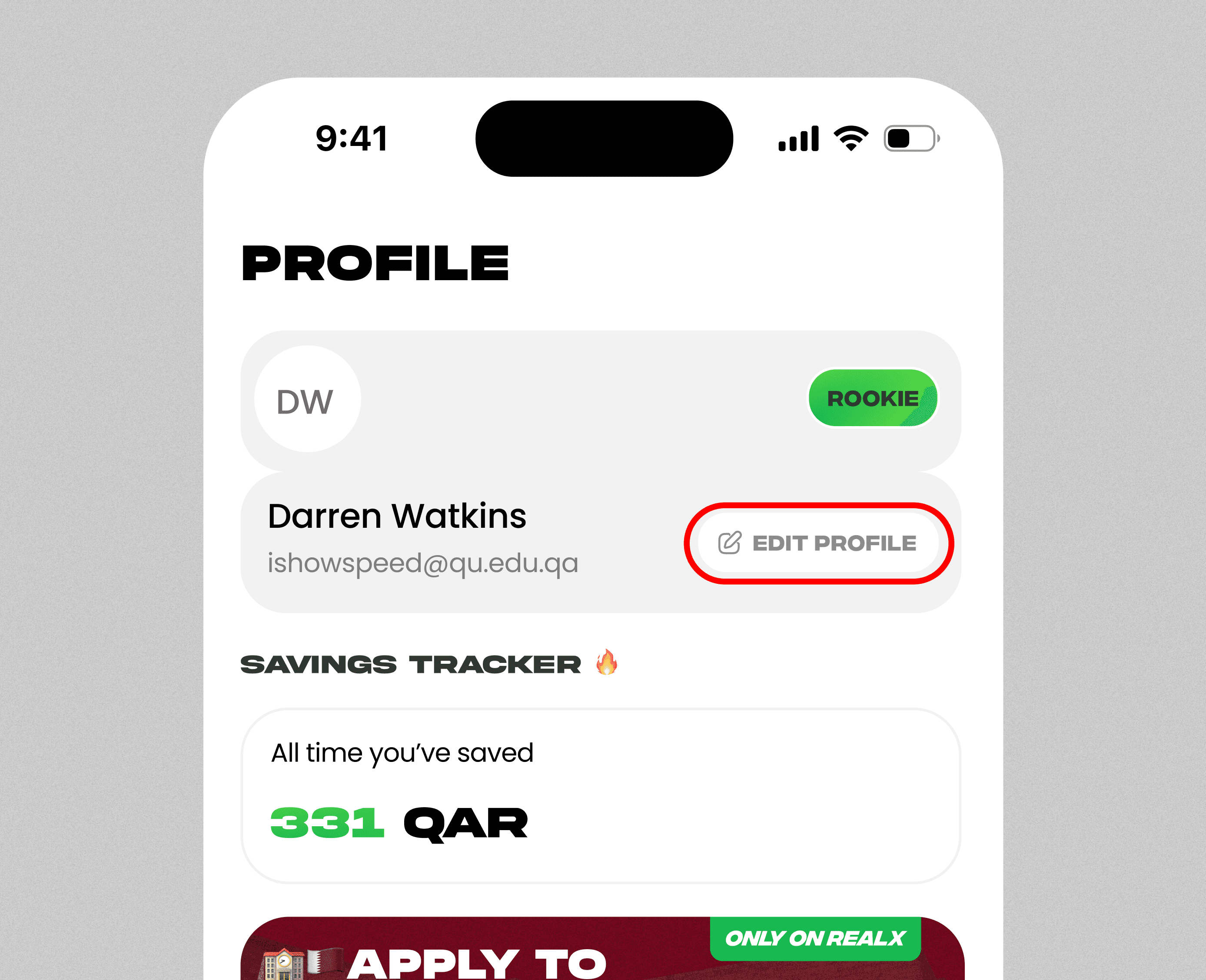
Tap on Profile Details.
Scroll down to the bottom of the screen.
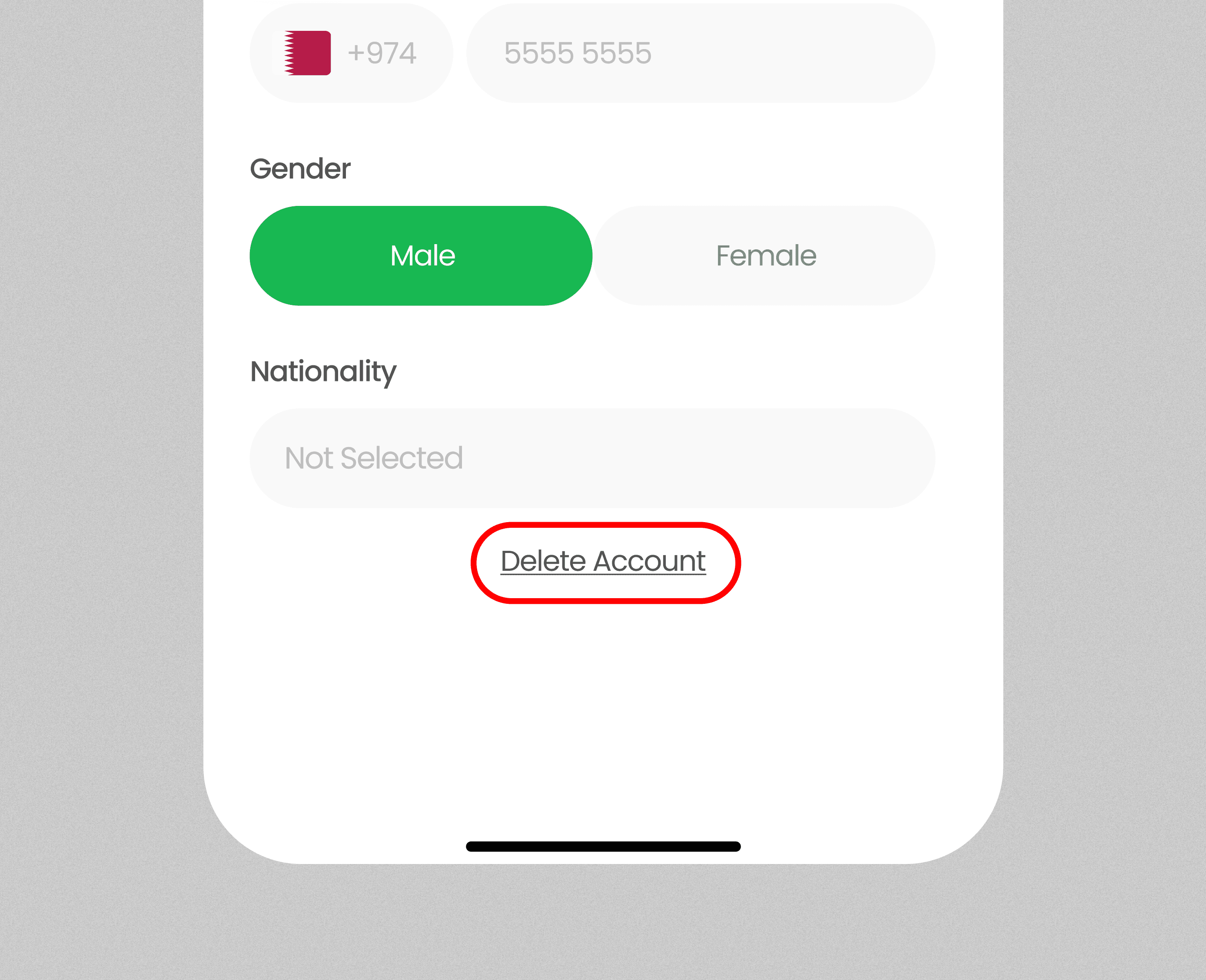
Click on Delete Account.
Confirm your action to permanently delete your data.
Once deleted, your account and all data cannot be recovered.
Deleting your account will permanently remove all data as per our Terms & Conditions and Privacy Policy. This action cannot be undone.
To delete your account and all associated data, follow these steps:
Open the app and navigate to the Profile page.
Tap on Profile Details.
Scroll down to the bottom of the screen.
Click on Delete Account.
Confirm your action to permanently delete your data.
Once deleted, your account and all data cannot be recovered.
Deleting your account will permanently remove all data as per our Terms & Conditions and Privacy Policy. This action cannot be undone.
STEP BY STEP PROCESS
3
Browse deals
Explore categories like food, coffee, groceries, and more.
1
Profile Page
Go to the Profile page and tap Edit Profile.
1
Profile Page
Go to the Profile page and tap Edit Profile.
2
Edit Profile Page
Scroll down and select Delete Account to remove your data permanently.
2
Edit Profile Page
Scroll down and select Delete Account to remove your data permanently.
3
Browse deals
Explore categories like food, coffee, groceries, and more.